



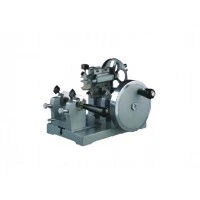


As a supplier of UV Slide Printers, I understand the frustration that comes with print head clogging. It can disrupt your workflow, lead to subpar print quality, and even cause permanent damage to your printer if not addressed promptly. In this blog post, I'll share some practical tips and best practices on how to prevent clogging in a UV Slide Printer's print head, ensuring smooth and efficient operation for your business.
Understanding the Causes of Print Head Clogging
Before we dive into prevention strategies, it's essential to understand what causes print head clogging in the first place. Several factors can contribute to this issue, including:
- Dried Ink: UV inks are designed to dry quickly when exposed to UV light, which is great for fast printing but can also lead to clogging if the ink dries inside the print head. This can happen if the printer is left idle for an extended period or if the ink circulation system is not functioning correctly.
- Contaminants: Dust, debris, and other contaminants can enter the print head and block the nozzles, preventing the ink from flowing smoothly. This can occur if the printer is not properly maintained or if it is used in a dirty or dusty environment.
- Ink Viscosity: The viscosity of the ink can also affect the print head's performance. If the ink is too thick, it may not flow through the nozzles easily, leading to clogging. On the other hand, if the ink is too thin, it may not adhere properly to the slide, resulting in poor print quality.
- Improper Storage: Storing the ink cartridges or the printer in improper conditions can also cause clogging. For example, if the ink cartridges are stored at high temperatures or in direct sunlight, the ink may dry out or become contaminated.
Prevention Strategies
Now that we understand the causes of print head clogging, let's explore some strategies to prevent it from happening:
- Regular Maintenance: One of the most effective ways to prevent print head clogging is to perform regular maintenance on your UV Slide Printer. This includes cleaning the print head, checking the ink levels, and ensuring that the ink circulation system is functioning correctly. Refer to the printer's user manual for specific maintenance instructions and recommended intervals.
- Use High-Quality Ink: Using high-quality UV ink is crucial for preventing print head clogging. Inferior ink may contain impurities or have inconsistent viscosity, which can lead to clogging and other print quality issues. Make sure to use ink that is specifically designed for your UV Slide Printer and that meets the manufacturer's specifications.
- Keep the Printer Clean: Keeping the printer clean is essential for preventing contaminants from entering the print head. Regularly wipe down the exterior of the printer with a clean, dry cloth, and use a compressed air canister to blow out any dust or debris from the printer's vents and nozzles. Avoid using harsh chemicals or abrasive materials, as these can damage the printer's components.
- Avoid Idle Time: As mentioned earlier, leaving the printer idle for an extended period can cause the ink to dry inside the print head, leading to clogging. If you need to leave the printer unused for more than a few hours, make sure to put it in standby mode or perform a cleaning cycle to keep the ink flowing.
- Proper Storage: Properly storing the ink cartridges and the printer is also important for preventing clogging. Store the ink cartridges in a cool, dry place away from direct sunlight and heat sources. Make sure to seal the cartridges tightly when not in use to prevent the ink from drying out. When storing the printer, cover it with a dust cover to protect it from dust and debris.
- Monitor Ink Levels: Monitoring the ink levels regularly is essential for preventing print head clogging. Low ink levels can cause the print head to suck in air, which can lead to clogging. Make sure to replace the ink cartridges before they run out completely to ensure a continuous supply of ink to the print head.
- Use a Print Head Cleaning Solution: If you notice any signs of clogging, such as streaks or missing dots in the print, you can use a print head cleaning solution to unclog the nozzles. Follow the manufacturer's instructions carefully when using a cleaning solution, as using the wrong solution or applying it incorrectly can damage the print head.
Additional Tips
In addition to the prevention strategies mentioned above, here are some additional tips to help you keep your UV Slide Printer's print head in good condition:


- Use a Printer Cover: Using a printer cover when the printer is not in use can help protect it from dust and debris, reducing the risk of clogging.
- Avoid Overheating: Overheating can cause the ink to dry out and clog the print head. Make sure to keep the printer in a well-ventilated area and avoid placing it near heat sources.
- Follow the Manufacturer's Recommendations: Always follow the manufacturer's recommendations for using and maintaining your UV Slide Printer. This includes using the recommended ink, performing regular maintenance, and following the proper cleaning procedures.
- Train Your Staff: If you have multiple users of the UV Slide Printer, make sure to train them on how to use and maintain the printer properly. This can help prevent clogging and other issues caused by improper use.
Conclusion
Preventing print head clogging in a UV Slide Printer is essential for ensuring smooth and efficient operation and high-quality prints. By following the tips and best practices outlined in this blog post, you can reduce the risk of clogging and keep your printer in good condition for years to come.
If you're in the market for a UV Slide Printer or need more information on how to prevent print head clogging, please don't hesitate to contact us. Our team of experts is here to help you find the right printer for your needs and provide you with the support and guidance you need to keep it running smoothly.
We also offer a range of Laser Slide Printer and Laser Slide Printing System solutions that are designed to meet the needs of various industries. Visit our website to learn more about our products and services.
References
- Manufacturer's user manual for UV Slide Printer
- Ink manufacturer's specifications and recommendations
- Industry best practices for printer maintenance and care