




Hey there! As a supplier of slide printers, I often get asked about the drying time of prints from these nifty machines. It's a crucial factor, especially for those who rely on these prints for research, medical diagnostics, or any other field where quick turnaround times matter. So, let's dig into what affects the drying time and how you can optimize it.
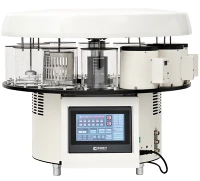
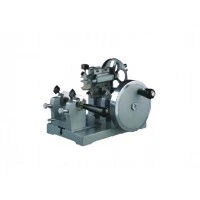
First off, the type of slide printer you're using plays a huge role. We offer a range of slide printers, like the Tissue Ribbon Slide Printer, the Laser Slide Printing System, and the Smart Laser Printer. Each of these has its own characteristics that can influence drying time.
Factors Affecting Drying Time
1. Printing Technology
Laser printers, like our Laser Slide Printing System and Smart Laser Printer, generally have a faster drying time compared to some other types. Laser printing works by using heat to fuse toner to the slide. Once the toner is fused, it's pretty much set, and the drying time is minimal. You're looking at just a few seconds to a minute for the print to be dry enough to handle.
On the other hand, printers that use inkjet technology might take a bit longer. Inkjet printers spray tiny droplets of ink onto the slide, and these droplets need to dry. The drying time can vary depending on the type of ink used. Water - based inks, for example, take longer to dry than solvent - based inks. With water - based inkjet prints, you could be waiting anywhere from a few minutes to half an hour for the print to dry completely.
2. Slide Material
The material of the slide also affects drying time. Glass slides are commonly used, and they have different properties compared to plastic slides. Glass is a good conductor of heat, which can help in the drying process, especially with laser printers. The heat from the fusing process can dissipate quickly, allowing the toner to dry faster.
Plastic slides, however, might insulate the print a bit more. This can slow down the drying process, especially if the printer uses heat for drying. Additionally, some plastics might react differently to the ink or toner, which can also impact drying time.
3. Print Density
How much ink or toner is being applied to the slide matters a lot. A high - density print with a lot of ink or toner coverage will take longer to dry than a low - density print. For example, if you're printing a detailed image with a lot of colors and solid areas, it will require more ink or toner, and thus more time to dry.
Let's say you're printing a simple text label on a slide. This will have a relatively low ink or toner density, and it will dry much faster than a full - color histological image with a lot of fine details.
4. Environmental Conditions
The environment where the printing is taking place is a big factor. Temperature and humidity play a huge role. In a warm and dry environment, the ink or toner will dry faster. Heat helps to evaporate the moisture in the ink, and low humidity means there's less moisture in the air to slow down the drying process.
Conversely, in a cold and humid environment, the drying time can be significantly extended. The cold temperatures slow down the evaporation process, and the high humidity means there's more moisture in the air, which can prevent the ink or toner from drying properly.
Optimizing Drying Time
1. Choose the Right Printer
If you need quick drying times, a laser printer like our Laser Slide Printing System or Smart Laser Printer is a great choice. The heat - based fusing process ensures fast drying.
However, if you need high - quality color prints and can afford a bit more drying time, an inkjet printer might be suitable. Just make sure to choose one that uses fast - drying inks.
2. Adjust Print Settings
You can often adjust the print density in the printer settings. If you're in a hurry and don't need the highest level of detail, reducing the print density can significantly cut down on drying time. This is especially useful for simple labels or text prints.
3. Control the Environment
Try to print in a warm and dry area. You can use a dehumidifier to reduce humidity if necessary. If possible, use a heater to increase the temperature slightly. Just make sure the environment is still safe for the printer and the slides.
Real - World Examples
Let's take a look at some real - world scenarios. Suppose a medical laboratory is using our Tissue Ribbon Slide Printer to print histological images on glass slides. They're printing in a room with a temperature of 25°C and a humidity of 40%.
For a low - density text label, the print dries in about 30 seconds. But for a high - density, full - color histological image, it takes around 5 minutes to dry completely.
Now, if the same laboratory moves to a colder and more humid environment, say 15°C and 60% humidity, the drying time for the high - density image could double or even triple.
Conclusion
So, as you can see, the drying time of prints from a slide printer can vary widely depending on several factors. By understanding these factors and taking steps to optimize them, you can ensure that your prints dry as quickly as possible.
If you're in the market for a slide printer and want to know more about how our products can meet your drying time requirements, we'd love to hear from you. Whether you're a researcher, a medical professional, or someone in another field that needs high - quality slide prints, our team is here to help you find the perfect solution. Reach out to us for a detailed discussion about your needs and how our slide printers can fit into your workflow.


References
- "Printers and Printing Technologies" - A comprehensive guide on different printing technologies and their characteristics.
- "Materials Science for Laboratory Applications" - Covers the properties of different slide materials and their impact on printing processes.
- "Environmental Factors in Printing" - Research on how temperature and humidity affect the drying process of prints.